





Flutter Offline Caching & Networking: 15 Advanced Questions
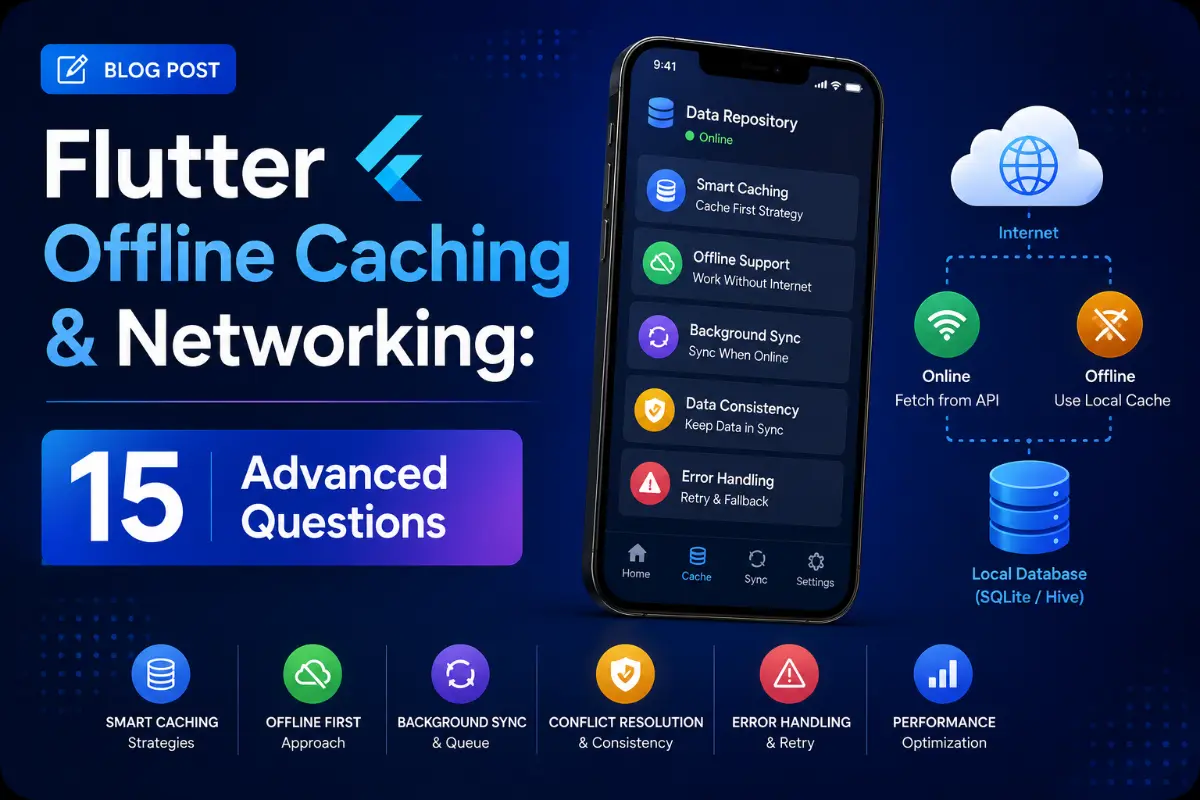
To build a seamless app experience, handling network latency and offline state is vital. An enterprise app must cache API payloads, handle background sync queues, secure data transmissions, and auto-refresh credentials. This guide covers 15 critical data, caching, and network questions.
Questions Quick Links
- Q1. HTTP client configurations: Dio vs http
- Q2. JSON Serialization using Freezed
- Q3. Database storage choices in Flutter
- Q4. Offline-First Synchronization Architecture
- Q5. Queueing local requests offline
- Q6. Listening to database streams
- Q7. WebSocket Stream management
- Q8. Push Notifications background handlers
- Q9. Protobuf vs JSON payloads
- Q10. GraphQL normalizing cache
- Q11. SSL/TLS Certificate Pinning
- Q12. Connection state monitoring
- Q13. Progressive chunk uploads
- Q14. JWT Token Interceptor & Refresh
- Q15. Cursor-based Pagination API
Q1. Compare Dio vs. Http for REST API requests. When is Dio preferred?
Answer:
The http package is lightweight and ideal for basic REST calls. However, Dio is preferred for production-grade apps because it provides built-in interceptors (for logging and authentication headers), global configuration settings, form data parsing, file download progress listeners, request cancellation tokens, and retry mechanisms.
Q2. How do you handle JSON serialization dynamically using the Freezed package?
Answer:
Freezed generates immutable data classes and handles deep copy operations. It pairs with json_serializable to generate standard map serialization methods, preventing runtime spelling errors in JSON decoding.
Q3. Compare Hive, Drift (SQLite), and Shared Preferences. When should you use what?
Answer:
- Shared Preferences: Key-value store for basic configurations (e.g. dark mode toggle).
- Hive: Ultra-fast NoSQL local database written in pure Dart. It stores data as binary boxes in memory-mapped files. Ideal for caching JSON payloads and simple objects.
- Drift (SQLite Wrapper): A reactive, relational database. Ideal when you require complex SQL queries, tables joins, and relational mapping.
Q4. Explain how you implement an Offline-First architectural pattern.
Answer:
An offline-first architecture fetches layout data from a local database cache first, displays it immediately, and then calls a remote data source in the background. Once the API returns new data, the local database cache is updated, which automatically triggers a UI stream update.
Q5. How do you queue API requests offline and synchronize them when connection restores?
Answer:
When a write action occurs offline, save the request details (endpoint, method, body) to a local SQLite/Hive queue. Listen to connection state shifts using a connectivity listener. Once the network is restored, process the queue sequentially in the background.
Q6. How do you listen to reactive updates in Drift or Hive?
Answer:
Both Drift and Hive allow returning data queries as a Stream. In your UI, wrap these streams inside a StreamBuilder. Any write operation in the database automatically recalculates the query and pushes the new result to the UI.
Q7. How do you manage persistent WebSocket connections in Flutter?
Answer:
Use the web_socket_channel library. To ensure connection stability, wrap your connection logic in a retry routine. If the stream disconnects unexpectedly, trigger a connection attempt with exponential backoff.
Q8. How do you handle Firebase Push Notifications when the app is in the background or terminated?
Answer:
You must configure a top-level, static background handler method: FirebaseMessaging.onBackgroundMessage(_firebaseMessagingBackgroundHandler);. This method executes in a separate background Isolate without access to the main app's memory state.
Q9. What are the performance advantages of Protocol Buffers (Protobuf) over JSON?
Answer:
Protobuf serializes payloads into a compressed binary format, drastically reducing payload size and network bandwidth usage. Because serialization is compiled to native class code ahead of time, parsing performance is much faster than JSON decoding.
Q10. How does a normalized cache work in GraphQL?
Answer:
A normalized cache splits nested query responses into individual objects indexed by their Type and ID. If one query modifies an entity, any other queries containing that same entity automatically display the updated state.
Q11. What is SSL/TLS Pinning and how do you implement it in Flutter?
Answer:
SSL Pinning locks your client to trust only specific server certificates. During the handshake, the client validates the server's public key hash against local hashes, preventing Man-in-the-Middle (MitM) proxy inspection.
Q12. How do you monitor connection states in real-time?
Answer:
Subscribe to the connectivity stream: Connectivity().onConnectivityChanged.listen((result) { ... });. Use this to dynamically disable UI write buttons or show a offline warning banner.
Q13. How do you handle progressive chunk file uploads in Dio?
Answer:
Configure FormData and pass a file stream with the onSendProgress callback listener: onSendProgress: (sent, total) { print("$sent / $total"); }.
Q14. How do you implement JWT Access Token & Refresh Token rotation?
Answer:
Configure a Dio Interceptor. When an API call returns a 401 Unauthorized error, lock the request queue, fetch a new Access Token using the saved Refresh Token, update your secure storage, and re-try the initial queued requests.
Q15. How does Cursor-based pagination compare to offset pagination?
Answer:
Offset pagination (limit/offset) becomes slow at scale because the database must scan all previous records. It can also cause duplicate or skipped items if data changes. Cursor pagination uses a unique pointer (like a timestamp or ID) to fetch subsequent items, which is faster and prevents duplicate entries.
Written by Data Architect & Core Dev
Senior Career Advisor & Recruitment Specialist at JobPortalConnect. With years of experience in HR matching, they review resumes, optimize career pathways, and interview recruiting partners directly.