






Flutter Security, Design Patterns & Native Interop: 15 Core Questions
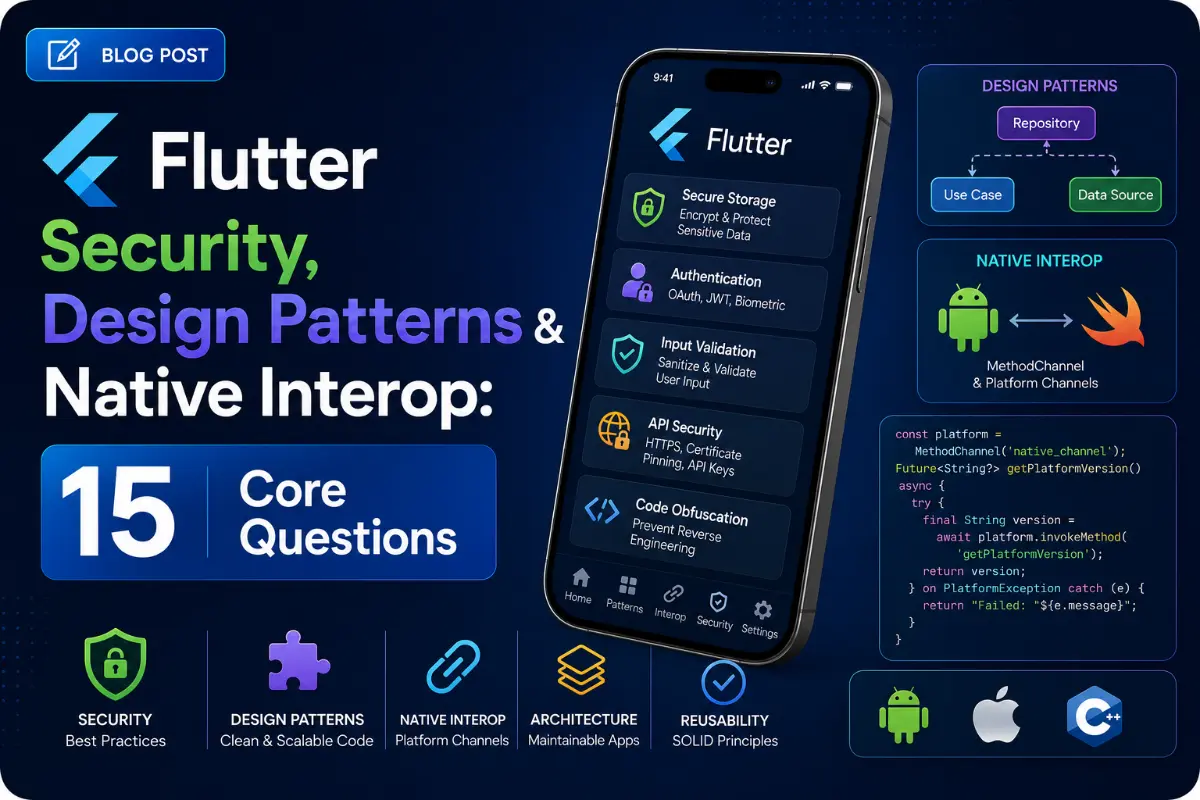
Production-grade Flutter applications must be built upon solid design patterns, maintain type-safe native platform integrations, and follow strict app security guidelines. This article provides 15 unique questions and answers focusing on Pigeon, design patterns, biometrics, cryptography, and application hardening.
Questions Quick Links
- Q1. Pigeon for Type-Safe Interop
- Q2. Local Storage Encryption
- Q3. Custom SSL Pinning Context
- Q4. Thread-Safe Singletons in Dart
- Q5. Repository Pattern Implementation
- Q6. Factory Method for Gateways
- Q7. Strategy Pattern Cache Policies
- Q8. App Sandboxing directories
- Q9. Secure Biometric Auth
- Q10. API Tampering & Request Signatures
- Q11. Preventing Screenshot Captures
- Q12. Jailbreak & Root Detection
- Q13. Observer Pattern: ChangeNotifier
- Q14. Abstract Factories for Cupertino/Material
- Q15. Designing custom Native Alert plugins
Q1. What is the Pigeon package and how does it improve Platform Channels?
Answer:
Standard MethodChannel calls rely on dynamic string keys and manual argument map parsing, which are prone to runtime typos. **Pigeon** is a code generation tool that defines a structured interface in Dart. It generates type-safe, compiled binding wrappers for Kotlin (Android) and Swift (iOS), guaranteeing compile-time safety and eliminating serialization boilerplate.
Q2. How do you implement local database encryption (e.g. SQLite/SQLCipher)?
Answer:
Plain SQLite files are stored in unencrypted binary formats, making them vulnerable on rooted/jailbroken devices. You should integrate SQLCipher (via packages like drift_sqflite or sqflite_sqlcipher) and pass an encryption key generated at runtime and securely stored inside iOS Keychain or Android Keystore via flutter_secure_storage.
Q3. How do you implement custom SSL Pinning in Dart?
Answer:
Instead of trusting any Certificate Authority (CA) certified by the OS, bind your HTTP client to trust only your backend certificate's public key hash. Initialize a custom SecurityContext in Dart and add your certificate authority file (`.pem` or `.cer`) directly into it:
SecurityContext context = SecurityContext(withTrustedRoots: false); context.setTrustedCertificatesBytes(certBytes); HttpClient client = HttpClient(context: context);
Q4. How do you implement a thread-safe Singleton pattern in Dart?
Answer:
Dart runs in a single-threaded isolate, meaning multi-threaded synchronization locks are not required. Use a private constructor and a static final instance cached in a factory constructor:
class ApiService { ApiService._internal(); // Private Constructor static final ApiService _instance = ApiService._internal(); factory ApiService() => _instance; }
Q5. What is the Repository Pattern and why is it used?
Answer:
The Repository pattern acts as a data mediator between business logic (Use Cases/BLoCs) and raw data sources (network APIs, local databases). It abstracts the origin of data so that the UI layer does not know (or care) whether the profiles are coming from local SQLite cache or external HTTP endpoints.
Q6. How does the Factory Method pattern apply to runtime service selection?
Answer:
It instantiates different objects of a common interface at runtime based on parameters. For example, returning a Stripe Payment Service vs. a PayPal Payment Service depending on a user's region selection.
Q7. How do you implement the Strategy Pattern for cache policies?
Answer:
Define a cache strategy interface (CacheStrategy) with execution contracts, and implement concrete strategies (e.g. CacheFirstStrategy, NetworkFirstStrategy). Your repository class can dynamically execute different strategies at runtime without modifying its codebase.
Q8. What is App Sandboxing? Where should persistent databases vs. temp files be saved?
Answer:
Sandboxing isolates app directories. Using path_provider:
- Documents Directory: For persistent user data (e.g. Hive boxes/SQLite databases). Automatically backed up by the OS.
- Temporary Directory: For cached images or temporary files. Can be cleared by the OS when disk space is low.
Q9. How do you implement Biometric Authentication (Fingerprint/FaceID) safely?
Answer:
Integrate the local_auth package. Make sure to authenticate in a try-catch block, enforce stickyAuth: true (preventing pause cycles from canceling the prompt), and store the final credential state in secure encrypted storage.
Q10. How do you prevent API request tampering using request signatures?
Answer:
For every API write action, generate an HMAC (Hash-based Message Authentication Code) signature using request body values and a secret client key. Append this signature in headers. The backend calculates the hash of the body independently, rejecting requests where signatures mismatch.
Q11. How do you prevent screenshots and screen recordings inside your app?
Answer:
This cannot be managed via Dart; it requires platform-native hooks. On Android, add FLAG_SECURE to the window parameters in Kotlin. On iOS, monitor window textures or obscure layout layers. This is typically implemented via the flutter_windowmanager plugin.
Q12. What is Jailbreak / Root Detection?
Answer:
Jailbreak/Root detection scans for system vulnerabilities (e.g. checkra1n paths, Superuser binary files, test-keys signatures). Use packages like flutter_jailbreak_detection to inspect the runtime environment at startup, preventing sensitive transactions if compromised.
Q13. How do ChangeNotifier and ValueNotifier implement the Observer pattern?
Answer:
The Observer pattern consists of a Subject and Observers. ChangeNotifier (Subject) maintains a list of listeners. When notifyListeners() is called, it loops and calls the callback of all active observers (e.g. ListenableBuilder or AnimatedBuilder).
Q14. How do you use the Abstract Factory pattern to build platform-specific widgets?
Answer:
Define an abstract interface (e.g., PlatformButton). Build two concrete factories: AndroidButton (returning a Material `ElevatedButton`) and IosButton (returning a Cupertino `CupertinoButton`), returning the correct type based on `Theme.of(context).platform`.
Q15. How do you implement a custom Native Alert Dialog plugin without third-party packages?
Answer:
Write a MethodChannel in Dart calling 'showNativeAlert'. In Kotlin, use AlertDialog.Builder to present the dialogue. In Swift, instantiate UIAlertController and invoke it on the root view controller, returning result statuses back to Dart.
Written by Security Architect & Core Lead
Senior Career Advisor & Recruitment Specialist at JobPortalConnect. With years of experience in HR matching, they review resumes, optimize career pathways, and interview recruiting partners directly.