




Why You Need a Professional Portfolio and How to Build One
The Power of a Portfolio
For freshers and self-taught developers, a traditional resume is often not enough to compete with experienced applicants. When every resume lists the same degrees and skills, recruiters look for proof of actual work. A professional portfolio is the ultimate evidence of your capabilities. It demonstrates your coding style, problem-solving skills, and commitment to learning. A well-designed portfolio can bypass lack of experience and land you interviews.
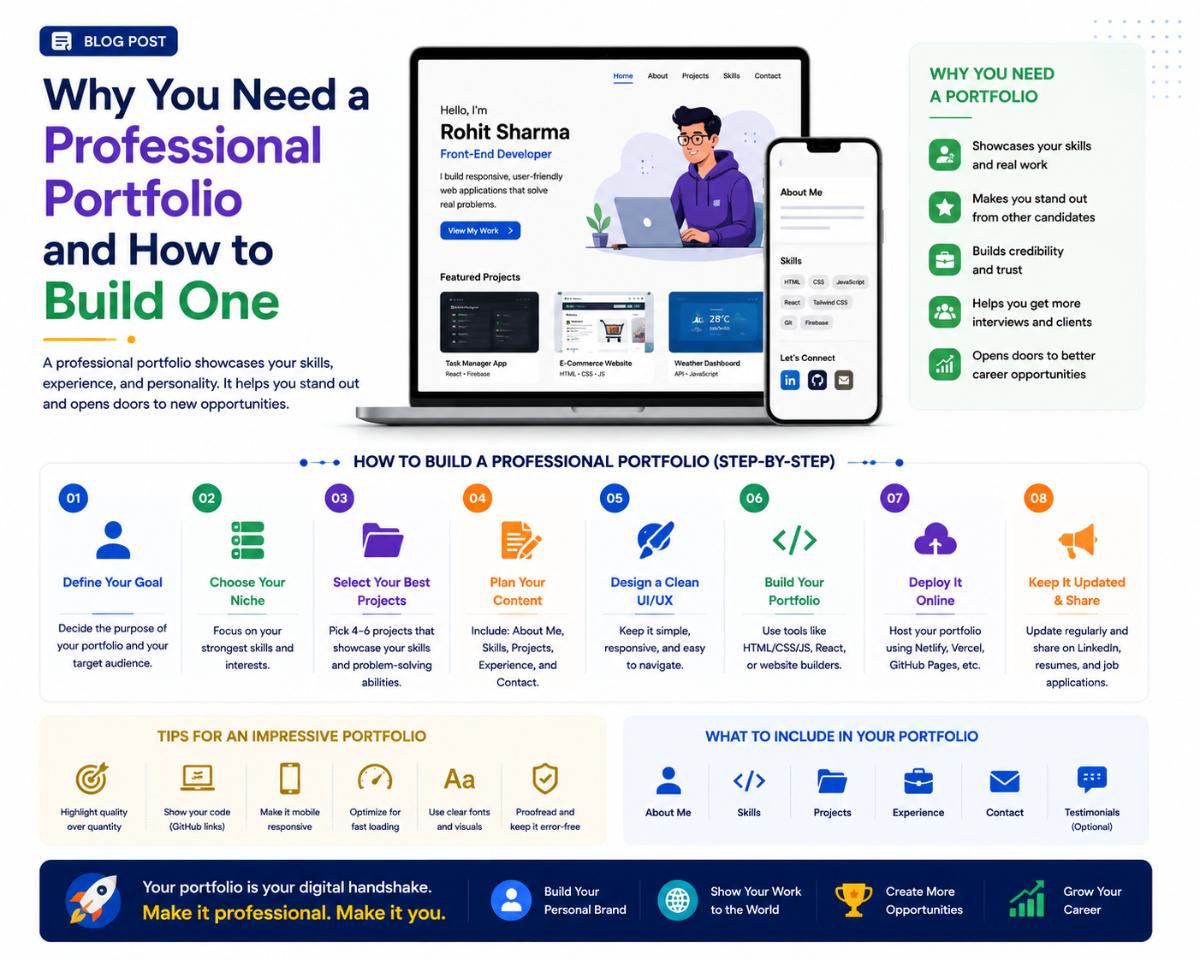
1. What to Include in Your Portfolio
Quality is far more important than quantity. Do not crowd your portfolio with dozens of basic tutorial projects (like a simple calculator or to-do app). Instead, focus on 2 or 3 high-quality, complex projects that solve real-world problems.
For each project, include:
- A clear description of the problem solved.
- The tech stack used (e.g., React, SQL Server, .NET Core).
- Your specific role and contributions (if it was a team project).
- Links to the live working demo and the GitHub source code.
2. Free Hosting Platforms
You do not need to spend money to host your portfolio. Leverage these free, industry-standard hosting platforms:
- GitHub Pages: Perfect for hosting simple static websites directly from your Git repositories.
- Vercel & Netlify: Ideal for modern JavaScript frameworks (React, Next.js, Vue). They offer automatic deployments upon pushing code to GitHub.
- Render & Railway: Great platforms for hosting backend applications and databases (Node.js, Python, PostgreSQL) with free tiers.
3. Structure of a Portfolio Site
Ensure your portfolio site has a clean, readable layout containing:
- Hero Section: A strong headline stating who you are, what you build, and your contact email.
- Project Showcase: Clean grid layout displaying screenshots, descriptions, and links to your projects.
- Skills Section: Icons or tags showing your primary tools and technologies.
- About Me / Resume Link: A brief bio and a clickable link to download your resume PDF.
Written by JobPortal Editorial Team
Senior Career Advisor & Recruitment Specialist at JobPortalConnect. With years of experience in HR matching, they review resumes, optimize career pathways, and interview recruiting partners directly.