




How to View Your LinkedIn Profile as Others See It + 5 Secret Tips
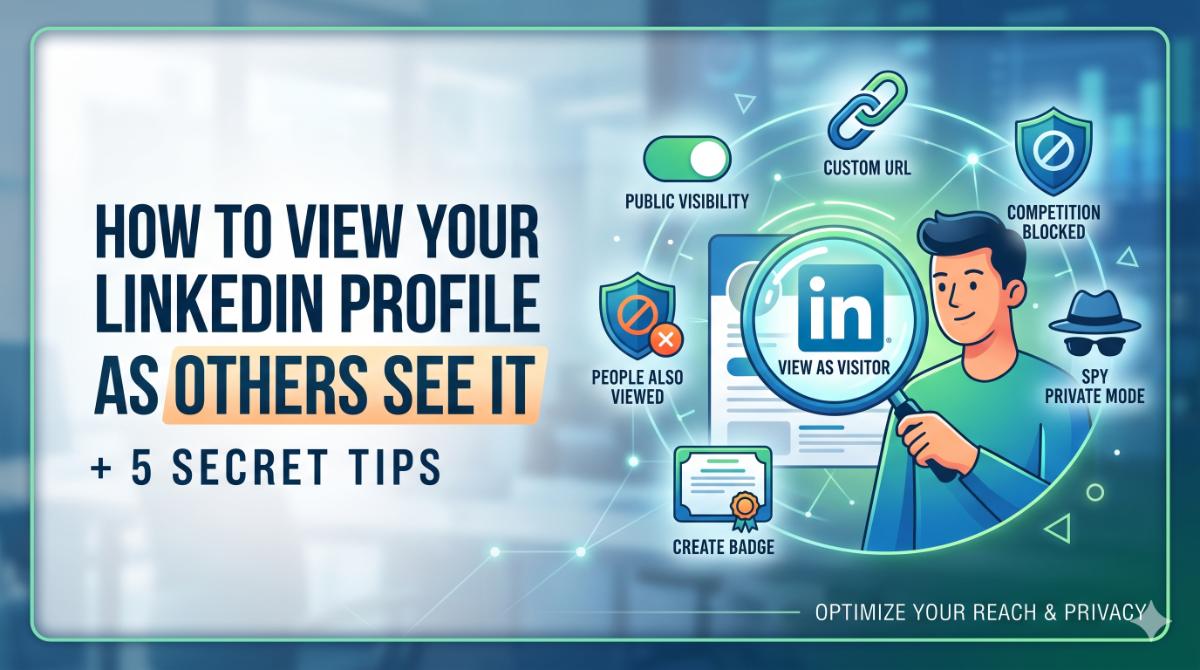
How to View Your LinkedIn Profile as Others See It + 5 Secret Tips
Want to know what recruiters, clients, and hiring managers actually see when they visit your LinkedIn profile?
Most professionals spend hours updating their profile but never audit how it appears publicly.
Your LinkedIn profile is no longer just an online resume.
It has become:
• Your digital reputation
• Your personal brand
• Your professional landing page
• Your search visibility asset
• Your first impression before interviews
Why Your LinkedIn Profile Matters More Than Ever
LinkedIn has evolved far beyond networking.
Today, it functions as:
• A professional search engine
• A recruitment database
• A personal branding platform
• A lead generation channel
• A trust verification system
Before contacting you, many recruiters and clients will search your LinkedIn profile first.
They often evaluate:
• Profile photo
• Headline
• Activity level
• Experience clarity
• Recommendations
• Skills
• Mutual connections
• Content quality
How to View Your Profile as a Visitor
Method 1: LinkedIn Public Profile View
Step 1: Login to your LinkedIn account.
Step 2: Click your profile picture ("Me" icon).
Step 3: Select:
Settings & Privacy
Step 4: Navigate to:
Visibility
Step 5: Click:
Edit your public profile
LinkedIn will now show you the public version of your profile exactly as external visitors see it.
What You Should Check in Public View
• Profile photo quality
• Banner image
• Headline clarity
• About section readability
• Featured section visibility
• Experience formatting
• Missing sections
• Broken media links
• Contact information
• Public activity visibility
Method 2: Incognito Browser Check
Step 1: Copy your LinkedIn profile URL.
Example:
linkedin.com/in/yourname
Step 2: Open an Incognito or Private browser window.
Shortcut:
Ctrl + Shift + N
Step 3: Paste your LinkedIn profile link.
Now you can view your profile exactly like:
• Recruiters
• Google visitors
• Non-connections
• Anonymous users
5 Secret Tips for Better SEO & Visibility
Tip 1: Enable Full Public Visibility
Inside:
Edit Public Profile
turn on all relevant profile sections.
Enable visibility for:
• Headline
• About section
• Experience
• Skills
• Education
• Featured content
• Certifications
Why This Matters
Search engines like Google index public LinkedIn profiles.
A fully public profile increases your chances of appearing in search results.
Tip 2: Claim a Professional Custom URL
Most LinkedIn profiles include messy URLs with random numbers.
Bad Example:
linkedin.com/in/john-smith-7382718a
Better Example:
linkedin.com/in/johnsmith
How to Change It
Go to:
Edit Public Profile
Then click the pencil/edit icon near your URL settings.
Why This Helps
• Looks more professional
• Improves personal branding
• Easier to share
• Improves resume presentation
• Helps SEO indexing
Tip 3: Disable “People Also Viewed”
Go to:
Settings & Privacy → Account Preferences
Disable:
People Also Viewed
Why This Matters
This keeps attention focused entirely on your profile.
Especially useful for:
• Freelancers
• Consultants
• Recruiters
• Coaches
• Founders
• Job seekers
Tip 4: Create a LinkedIn Profile Badge
LinkedIn allows you to create an embeddable profile badge.
Where to Find It
Inside:
Edit Public Profile
scroll to:
Create a Profile Badge
Where You Can Use It
• Personal websites
• Portfolios
• Blogs
• Email signatures
• Resume landing pages
Tip 5: Use Strategic Private Mode
Go to:
Visibility → Profile Viewing Options
Select:
Private Mode
Why This Is Useful
Private Mode is extremely valuable for:
• Competitor research
• Recruitment research
• Market analysis
• Industry exploration
• Networking strategy
Important Limitation
On free LinkedIn accounts:
When Private Mode is enabled, you also lose access to seeing who viewed your profile.
Bonus: Quick Wins for Profile Success
Use a Professional Headshot
Profiles with professional photos receive significantly more engagement.
Your image should:
• Be high resolution
• Have good lighting
• Use a clean background
• Show your face clearly
• Look approachable and professional
Avoid:
• Selfies
• Heavy filters
• Cropped group photos
• Casual party pictures
Optimize Your Headline Strategically
Weak Example:
Software Engineer
Better Example:
Software Engineer | Cloud Solutions | Java & Spring Boot Specialist | Scalable Backend Systems
Why This Works
• Improves search visibility
• Helps recruiter targeting
• Improves keyword indexing
• Builds stronger positioning
Rewrite Your About Section Properly
Your About section should communicate:
• What you do
• Who you help
• What problems you solve
• What makes you different
• Your professional direction
Weak About Example:
“I am hardworking and passionate.”
Better Example:
“I help businesses build scalable cloud-based backend systems using Java, Spring Boot, and distributed architecture principles.”
Add Featured Content
Use the Featured section to showcase:
• Portfolio projects
• Blog posts
• Certifications
• Videos
• Case studies
• GitHub repositories
• Achievements
Build Skill Credibility
LinkedIn skills affect:
• Recruiter search results
• Profile discoverability
• Algorithm relevance
Pin your top 3 most important skills.
Example:
• Java
• Spring Boot
• Microservices
Recommendations Build Trust
Recommendations are social proof.
Request recommendations from:
• Managers
• Clients
• Colleagues
• Mentors
• Team leads
Weak Recommendation:
“Great person to work with.”
Better Recommendation:
“Led backend migration that reduced API response time by 40% while improving system reliability.”
Stay Active on LinkedIn
Regular activity improves profile visibility.
Examples:
• Share insights
• Comment thoughtfully
• Publish articles
• Celebrate achievements
• Discuss industry trends
Common LinkedIn Mistakes
• Empty About section
• Weak headline
• Poor profile photo
• No banner image
• Outdated experience
• Generic skills
• No recommendations
• Missing keywords
• Inactive profile behavior
Why LinkedIn SEO Matters
A well-optimized profile can generate:
• Recruiter outreach
• Freelance inquiries
• Partnership opportunities
• Speaking invitations
• Client leads
Advanced LinkedIn Optimization Strategies
Use Keywords Naturally Throughout Your Profile
LinkedIn works like a search engine.
Recruiters search using keywords related to:
• Job titles
• Skills
• Technologies
• Industries
• Certifications
• Locations
If your profile lacks these keywords, your visibility may decrease significantly.
Where to Add Keywords
• Headline
• About section
• Experience section
• Skills section
• Featured content
• Certifications
Real Example
Instead of writing:
“Worked on backend development.”
write:
“Built scalable backend systems using Java, Spring Boot, REST APIs, Microservices, and MySQL.”
This improves recruiter search matching.
Optimize Your Banner Image
Most users ignore the LinkedIn banner section.
But it is one of the first visual elements visitors notice.
A strong banner can instantly communicate:
• Your industry
• Your expertise
• Your personal brand
• Your services
• Your professional identity
Examples
A developer can use:
• Coding-themed graphics
• Cloud architecture visuals
• Technology branding
A marketer can use:
• Growth dashboards
• Branding visuals
• Campaign imagery
A founder can use:
• Company branding
• Mission statements
• Product visuals
Turn on Creator Mode (If Relevant)
LinkedIn Creator Mode helps professionals grow visibility.
Creator Mode enables:
• Better content visibility
• Follow-first profiles
• Topic hashtags
• Newsletter features
• Audio events
• Enhanced audience growth
This is especially useful for:
• Coaches
• Recruiters
• Founders
• Influencers
• Educators
• Consultants
• Content creators
Build a Strong Featured Section
The Featured section acts like a mini portfolio.
Instead of only telling people about your work, you can show proof.
Best Things to Add
• Resume PDFs
• Portfolio links
• Blog articles
• GitHub repositories
• Product demos
• Client testimonials
• Certifications
• Case studies
• Media mentions
Profiles with proof-based content appear significantly more credible.
Use Data-Driven Experience Descriptions
Many LinkedIn experience sections are too generic.
Weak Example
“Worked on sales and client management.”
Better Example
“Increased regional sales by 28% while managing enterprise client relationships across 3 major markets.”
Numbers create authority.
Metrics increase credibility.
Build Authority Through Content
Posting occasionally on LinkedIn can dramatically improve profile reach.
You do not need viral content.
You need consistent professional visibility.
Good Content Ideas
• Industry lessons
• Career experiences
• Project breakdowns
• Hiring insights
• Productivity tips
• Technology trends
• Leadership lessons
• Mistakes and learnings
Consistent visibility builds familiarity.
Familiarity builds trust.
Understand How Recruiters Actually Search
Recruiters rarely search randomly.
They usually filter profiles using:
• Skills
• Experience level
• Keywords
• Industry
• Location
• Certifications
• Activity level
This means optimization matters.
Even highly talented professionals can become invisible if their profiles are poorly structured.
Add Certifications and Licenses
Certifications improve both trust and discoverability.
Useful Certifications Include:
• AWS
• Google Cloud
• Microsoft Azure
• PMP
• Scrum certifications
• Google Analytics
• Cybersecurity certifications
• AI and Data Science certifications
Certifications help recruiters quickly validate expertise.
Improve Your Networking Strategy
Many users send random connection requests.
A better strategy is intentional networking.
Best Practices
• Personalize connection requests
• Engage before connecting
• Comment thoughtfully
• Build relationships gradually
• Avoid spam behavior
Networking quality matters more than connection quantity.
Use LinkedIn Analytics
LinkedIn provides profile analytics that many users ignore.
You can monitor:
• Profile views
• Search appearances
• Post engagement
• Audience demographics
• Follower growth
These insights help optimize your professional positioning.
Optimize for Mobile Viewing
Most LinkedIn users browse from mobile devices.
This means your profile should be:
• Easy to scan
• Well spaced
• Keyword-rich
• Concise
• Visually clean
Large text blocks often reduce readability.
Build Consistency Across Platforms
Your LinkedIn profile should align with:
• Resume
• Portfolio
• Personal website
• GitHub
• Twitter/X
• Professional bios
Inconsistency can create trust issues.
Consistency strengthens professional identity.
Treat LinkedIn as a Long-Term Asset
The biggest mistake people make is only updating LinkedIn when they need a job.
Strong profiles are built continuously.
The best opportunities often come from:
• Long-term visibility
• Consistent networking
• Credibility accumulation
• Ongoing authority building
LinkedIn rewards professionals who stay active over time.
Final Thought
Your LinkedIn profile is no longer just an online resume.
It is:
• A search engine asset
• A professional brand
• A trust signal
• A networking tool
• A career accelerator
Every section of your profile silently communicates something.
The question is:
Are you intentionally shaping that message?
Because recruiters are already looking.
And your profile is already speaking before you do.
Written by JobPortal Editorial Team
Senior Career Advisor & Recruitment Specialist at JobPortalConnect. With years of experience in HR matching, they review resumes, optimize career pathways, and interview recruiting partners directly.