



Mobile WebViews, Hybrid Bridges & PWA Integration: 15 Core Questions
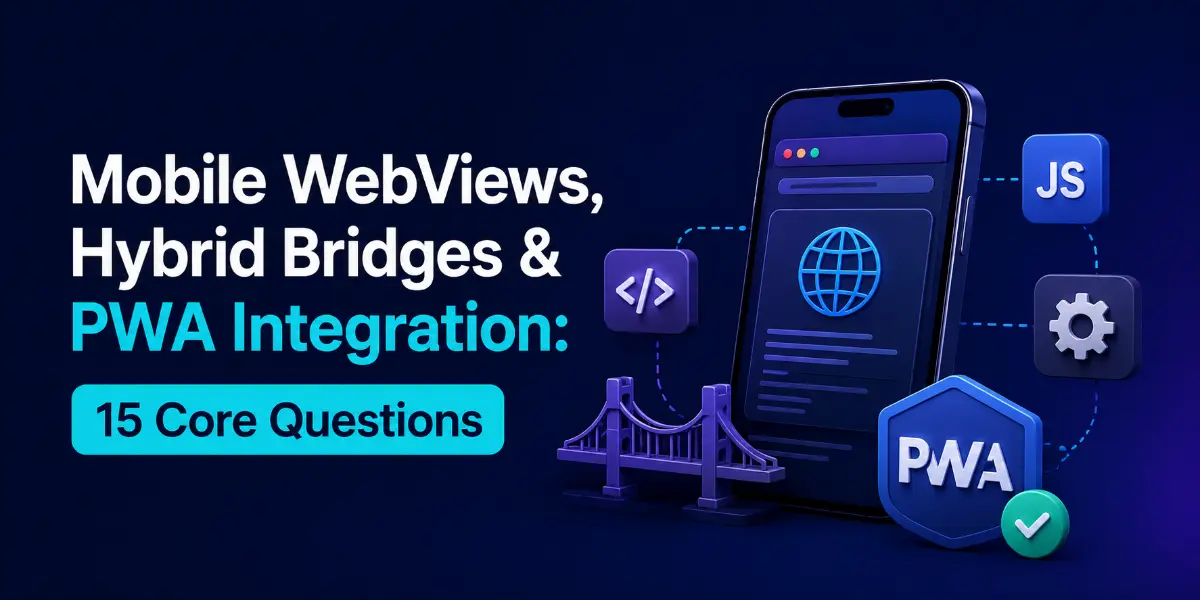
Integrating web components inside native applications requires bridging communication boundaries, synchronizing authentication cookies, and handling device hardware permissions. Whether building checkout flows or micro-frontends, mastering WebView architectures is essential. Here are 15 core questions.
Questions Quick Links
- Q1. WKWebView vs Android WebView layout engines
- Q2. Secure Bidirectional JS Bridges
- Q3. Sharing tokens inside WebViews
- Q4. iOS UserContentController message routing
- Q5. Cookie Syncing across network layers
- Q6. Offline WebView asset caching
- Q7. WebView detection in web pages
- Q8. WebView security (XSS & Navigation)
- Q9. WebView process crash mitigation
- Q10. PWAs: Service Workers & Manifests
- Q11. Cordova vs. Capacitor comparison
- Q12. Remote debugging WebViews
- Q13. File upload choose intent in Android
- Q14. Trusted Web Activities (TWA) on Android
- Q15. WebView hardware permission handling
Q1. Compare WKWebView (iOS) and Android WebView rendering architectures.
Answer:
- WKWebView (iOS): Runs in a separate process outside your application container, communicating via IPC (Inter-Process Communication). This isolates engine crashes from terminating your app.
- Android WebView: Built upon the Chromium layout engine, running inside the same application sandboxed memory space.
Q2. How do you implement a secure bidirectional JavaScript Bridge (JS Bridge)?
Answer:
Inject a custom interface into the WebView namespace. On Android, use @JavascriptInterface annotation on classes bound with `addJavascriptInterface`. On iOS, register handlers via WKScriptMessageHandler. To send messages back to the Web Page, evaluate JS directly: `evaluateJavaScript("callback(data)")`.
Q3. How do you share authentication credentials securely with a WebView?
Answer:
Avoid appending tokens in URL query query parameters, which are cached in browser history. Instead, inject tokens directly into custom headers during the initial request, or use the JS Bridge to set credentials in SessionStorage at startup.
Q4. How does WKUserContentController handle messages on iOS?
Answer:
WKUserContentController allows web pages to post message objects back to Swift. When a web script calls `window.webkit.messageHandlers.handlerName.postMessage(message)`, it triggers the swift protocol callback `userContentController(_:didReceive:)`.
Q5. How do you synchronize cookies between native HTTP clients and WebViews?
Answer:
WebViews use independent storage managers. On Android, use CookieManager.getInstance().setCookie(url, cookie). On iOS, write cookies directly into the WKHTTPCookieStore associated with the WKWebView configuration.
Q6. How do you cache WebView assets to allow offline loading?
Answer:
Configure cache headers on the web server (Cache-Control) to allow the native system engine to cache static files. For full offline systems, host the HTML/JS/CSS assets locally inside the app bundle, and load them using file URLs (e.g. `loadFileURL` on iOS).
Q7. How does a web page detect if it is running inside a WebView vs. browser?
Answer:
Inject a custom string into the **User Agent** header from the native app (e.g., appending `MyAppMobileWebView` to standard strings). The web script parses `navigator.userAgent` to verify execution contexts.
Q8. How do you protect WebViews against Cross-Site Scripting (XSS)?
Answer:
Enforce HTTPS for all resource requests, restrict navigation to validated domains using navigation delegate callbacks (like `decidePolicyFor` on iOS), and disable JavaScript interface access for external non-whitelisted web pages.
Q9. How do you handle WebView rendering process terminations (crashes)?
Answer:
On iOS, when the WKWebView process terminates due to memory exhaustion, it triggers the delegate method webViewWebContentProcessDidTerminate(_:). Implement this method to reload the WebView content gracefully instead of showing a blank screen.
Q10. What is a Progressive Web App (PWA)?
Answer:
A PWA is a website that uses **Service Workers** (background scripts intercepting requests) and a **Web App Manifest** (json descriptor file) to cache assets, load offline, and support home screen launch icons.
Q11. Compare Cordova vs. Capacitor.
Answer:
- Cordova: Relies on dynamic JS hooks mapping to native APIs via plugin XML configs, resolving native setups abstractly.
- Capacitor: Exposes native project folders directly. Native code is written explicitly in Kotlin/Swift, importing web components as WebView nodes.
Q12. How do you debug WebViews in running mobile applications?
Answer:
- iOS: Connect the device to a Mac, enable Safari Web Inspector, select the target simulator, and inspect the WebView DOM/Console.
- Android: Enable developer USB debugging, run `chrome://inspect` in Chrome, and debug the Chromium process.
Q13. How do you handle file uploads in an Android WebView?
Answer:
Standard `` fails by default. You must override WebChromeClient's onShowFileChooser(), launch a native image selection Intent (using `ActivityForResult`), and pass the selected file URI back to the WebView via the `ValueCallback` object.
Q14. What are Trusted Web Activities (TWA) on Android?
Answer:
TWA runs a web application inside a secure **Chrome Custom Tab** container instead of a WebView. It verifies domain ownership via Digital Asset Links, removing browser URL bar frames for a full native-like layout.
Q15. How do you handle hardware feature permission requests in WebViews?
Answer:
When a web page requests access (e.g. camera), standard browser dialogs do not show. On Android, override WebChromeClient.onPermissionRequest() and invoke `request.grant()`. On iOS, implement WKUIDelegate's permission callbacks to request native permissions.
Written by Hybrid Systems Architect
Senior Career Advisor & Recruitment Specialist at JobPortalConnect. With years of experience in HR matching, they review resumes, optimize career pathways, and interview recruiting partners directly.