





Transitioning from Manual to Automation Testing: A Step-by-Step Guide
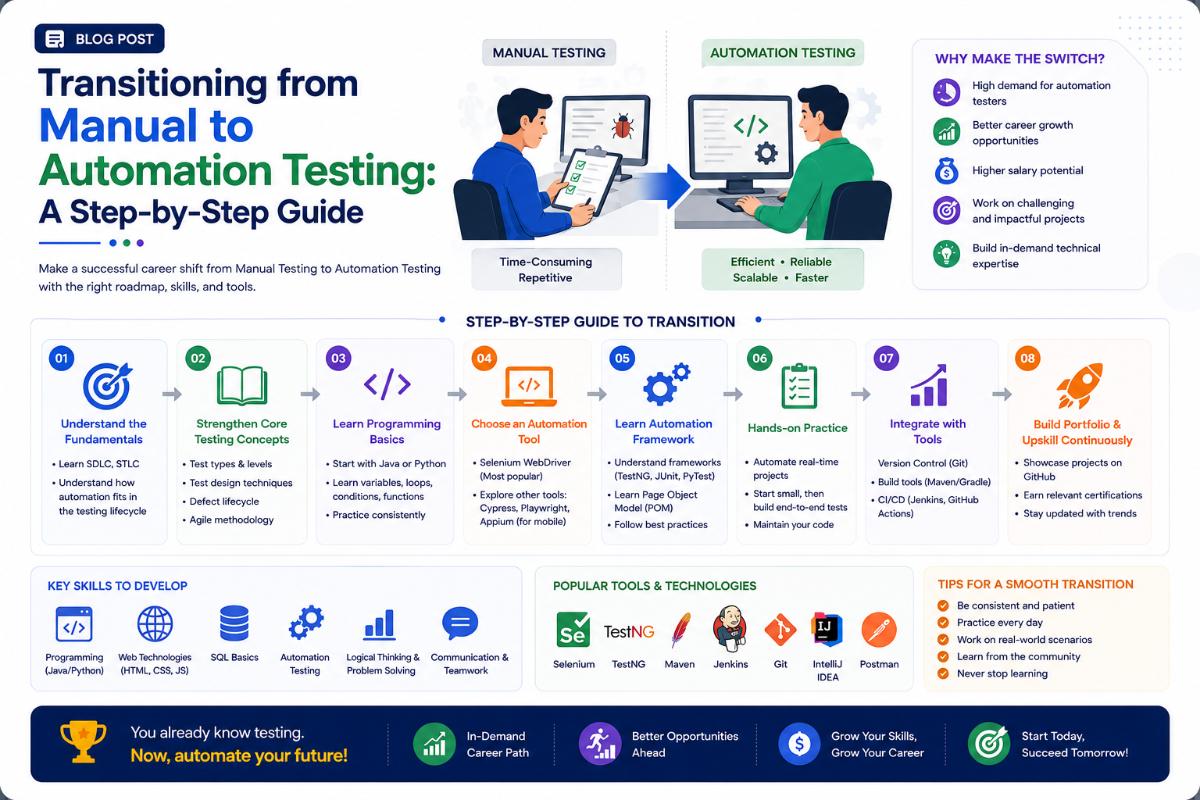
Why Move to Automation?
The demand for manual-only software testers is declining as companies move toward continuous integration and automated pipelines. Automation testing increases test coverage, speeds up release cycles, and allows testers to handle complex test scenarios. Making the transition to automation testing is a smart career move that leads to higher salaries, better job security, and more challenging work. Here is a step-by-step roadmap to make the transition.
Step 1: Learn a Programming Language
You cannot write automation scripts without coding. You do not need to become a software architect, but you must understand core programming concepts (variables, loops, conditional statements, arrays, and Object-Oriented Programming).
- Java: The most widely used language for enterprise automation frameworks.
- Python: Highly recommended for beginners due to its simple, readable syntax and extensive library support.
Step 2: Master an Automation Tool
Start with the most popular tools in the industry:
- Selenium WebDriver: The industry standard for web application automation. Learn how to locate web elements using XPath and CSS selectors, handle dropdowns, alerts, and manage wait times.
- Playwright or Cypress: Modern, fast javascript-based frameworks growing in popularity for web testing.
Step 3: Learn Test Framework Design
Writing standalone scripts is not enough. You need to know how to structure them into an automation framework.
- Learn the **Page Object Model (POM)** design pattern to keep scripts clean and maintainable.
- Learn assertions and test suites using **TestNG** (Java) or **PyTest** (Python).
- Understand how to generate detailed reports (like ExtentReports or Allure).
Step 4: Understand APIs and Database Testing
Modern applications rely heavily on APIs. Learn how to test APIs without a GUI using tools like **Postman** and libraries like **RestAssured**. Additionally, learn basic SQL queries to verify database states after running UI tests.
Written by JobPortal Editorial Team
Senior Career Advisor & Recruitment Specialist at JobPortalConnect. With years of experience in HR matching, they review resumes, optimize career pathways, and interview recruiting partners directly.