





Android 17: Mastering the AI-Native and Adaptive Platform Shift
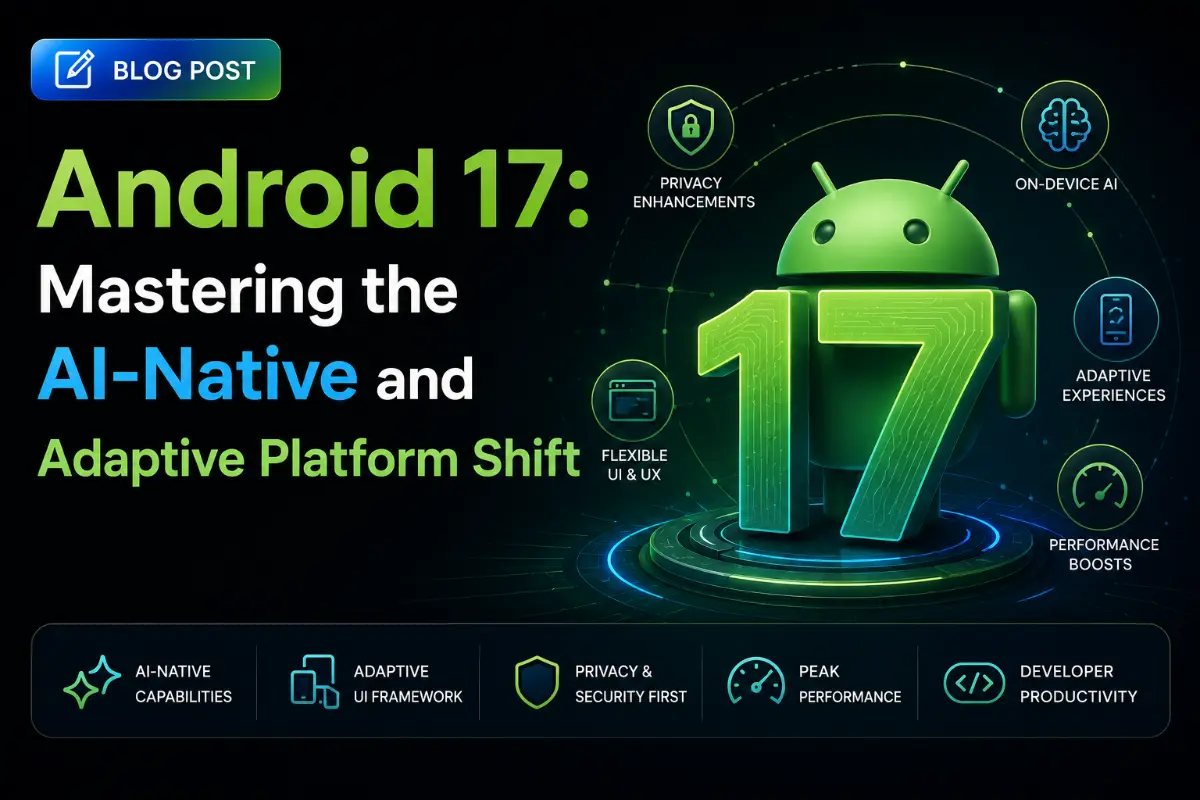
The release of Android 17 (Target SDK 37) marks a fundamental transformation in how mobile operating systems operate. Rather than just offering incremental API tweaks, Android 17 establishes an ecosystem built around AI-native operations, adaptive screen layouts, and next-generation privacy standards. For engineering leads and senior developers, target SDK 37 shifts requirements across background processing, system-level task integrations, dynamic code execution, and hardware security. Let's explore what is changing and how to adapt your codebase.
Android 17 Key Topics
- 🧠 AI-Native Capabilities (App Functions & MCP)
- 📱 Adaptive UI as the New Standard
- ⚡ Generational GC & Memory Optimization
- 🔒 Local Network, DCL & Post-Quantum Security
- 📷 Ultra HDR & CameraX Advancements
- ✅ SDK 37 Developer Action Items
🧠 AI-Native Capabilities: App Functions & Android MCP
Android 17 introduces core integrations designed for background AI agents. Apps are no longer isolated boxes; they are modular service providers that system models (like Gemini) can directly call.
- App Functions: A declarative API that lets you register specific application logic with the OS. System agents can automatically run these methods in response to voice prompts or user intentions. For example, a user could ask, "Send a message via ChatApp to John saying I'm running late", and the OS runs the corresponding App Function in the background without launching the visual app activity.
- Android MCP (Model Context Protocol) Support: Android 17 integrates the open-source Model Context Protocol. This standardizes how local apps provide data contexts, resources, and API endpoints to generative models safely.
- Gemini Nano & AICore Integrations: Offers improved on-device processing capabilities, supporting local token text classifications, summarizations, and semantic searches without sending sensitive content to external networks.
Registering an App Function (Kotlin Example):
// Annotating methods for System AI Agent execution class MessagingAppFunctions { @AppFunction(id = "send_chat_message") suspend fun sendMessage( recipientName: String, messageBody: String ): AppFunctionResult<Boolean> { // Direct background repository operations val success = chatRepository.send(recipientName, messageBody) return AppFunctionResult.Success(success) } }
📱 Adaptive UI Becomes the Standard
With the rapid adoption of foldables, tablets, and Chromebooks, Google is deprecating "mobile-only" app layouts. In Android 17, adaptive window resizing is a core target SDK 37 requirement.
- Desktop Windowing on Tablets: Android 17 supports free-form, desktop-like window resizing. Apps must support dynamic resizing, drag-and-drop actions, and keyboard/mouse pointer inputs without losing state or freezing.
- Compose Adaptive Navigation Suite: The system automatically swaps between standard bottom bars (compact viewports), side navigation rails (medium viewports), and permanent navigation drawers (expanded viewports) based on real-time size changes.
Adaptive Window Size Classes (Compose Example):
val windowSizeClass = calculateWindowSizeClass(activity) when (windowSizeClass.widthSizeClass) { WindowWidthSizeClass.Compact -> { // Render mobile layouts (e.g. NavigationBottomBar) } WindowWidthSizeClass.Medium -> { // Render side navigation rail for foldables } WindowWidthSizeClass.Expanded -> { // Render dual-pane layouts for tablets and desktops } }
⚡ Performance Improvements: Generational GC & Startup Tuning
Running on-device AI models requires significant system resources. To prevent lagging interfaces, Android 17 optimizes system-level resource allocations:
- Generational Garbage Collection (GC) Improvements: Extends ART (Android Runtime) garbage collection performance. By grouping short-lived allocations (common in Compose recompositions) and analyzing them separately from long-lived assets, Android 17 reduces GC pause times, preventing frame drops.
- Proactive App Freezing: Background apps are frozen in memory faster, reducing CPU cycles and conserving battery without requiring complete process destruction.
- Baseline Profiles v3: Employs smarter compiler profile configurations, improving app startup times by up to 30% from the first install.
🔒 Privacy & Security Enhancements
Android 17 enforces stricter restrictions on dynamic resource execution and network access:
- Local Network Protections: Apps must request explicit user permissions before scanning or connecting to local networks (such as smart home devices via mDNS/SSDP). This prevents background network mapping scripts from tracking users.
- Strict Dynamic Code Loading (DCL): Dynamically loaded classes (using Custom ClassLoaders) must be saved in read-only memory formats. The system blocks attempts to execute writable files to prevent runtime code-injection attacks.
- Post-Quantum Cryptography: Introduces post-quantum secure encryption primitives (e.g. ML-KEM) within the standard Keystore and TLS layers, protecting local secrets and network traffic from future quantum computing decryption threats.
📷 Media & Camera updates
Media pipelines receive improvements for displaying high-quality content:
- Ultra HDR & CameraX Upgrades: Standardizes Ultra HDR capturing capabilities, allowing real-time tone mapping shifts based on ambient light levels.
- Spatial Audio Dynamic Tracking: Expands APIs for low-latency headphone head-tracking integrations, providing immersive audio experiences for media apps.
✅ Developer Action Items
- Setup SDK 37: Download the Android 17 emulator and update your compiler targets:
targetSdk = 37. - Test Edge-to-Edge: Edge-to-edge rendering is now forced by default for Target SDK 37 applications. Ensure layouts do not overlap with system navigation bars or camera notches.
- Validate Desktop Sizing: Run your app on resizable screens and ensure inputs work smoothly under multi-window tablet environments.
- Audit File Permissions: Ensure any dynamic libraries are saved in read-only formats before loading them at runtime.
Written by Android System Architect
Senior Career Advisor & Recruitment Specialist at JobPortalConnect. With years of experience in HR matching, they review resumes, optimize career pathways, and interview recruiting partners directly.